Frame Relay 멀티포인트 + RIP 라우팅 구축
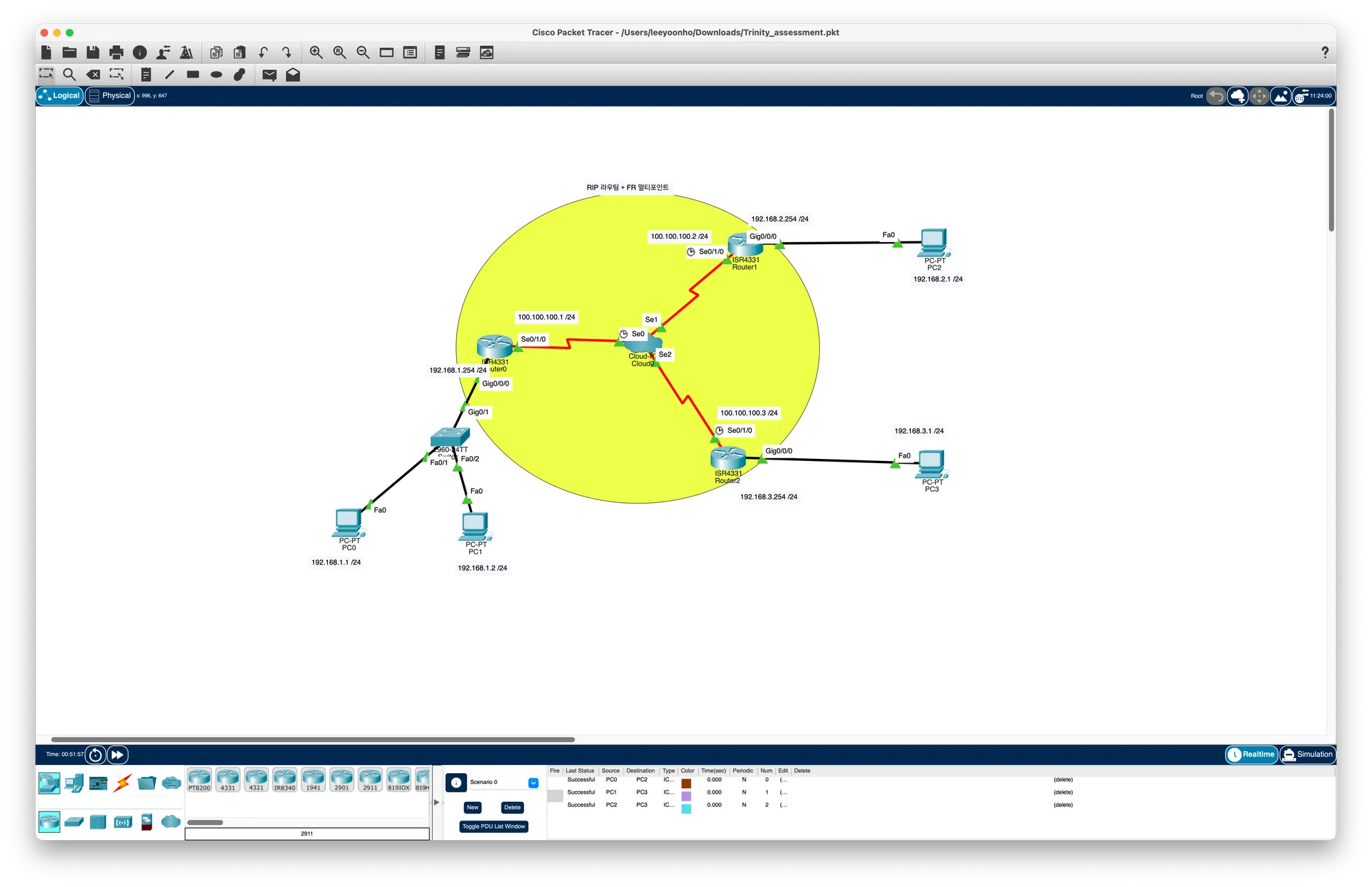
1. DLCI 설계 (풀메시 PVC)
| 구간 | 한쪽 DLCI | 반대쪽 DLCI |
|---|---|---|
| R0 ↔ R1 | 102 | 201 |
| R0 ↔ R2 | 103 | 301 |
| R1 ↔ R2 | 203 | 302 |
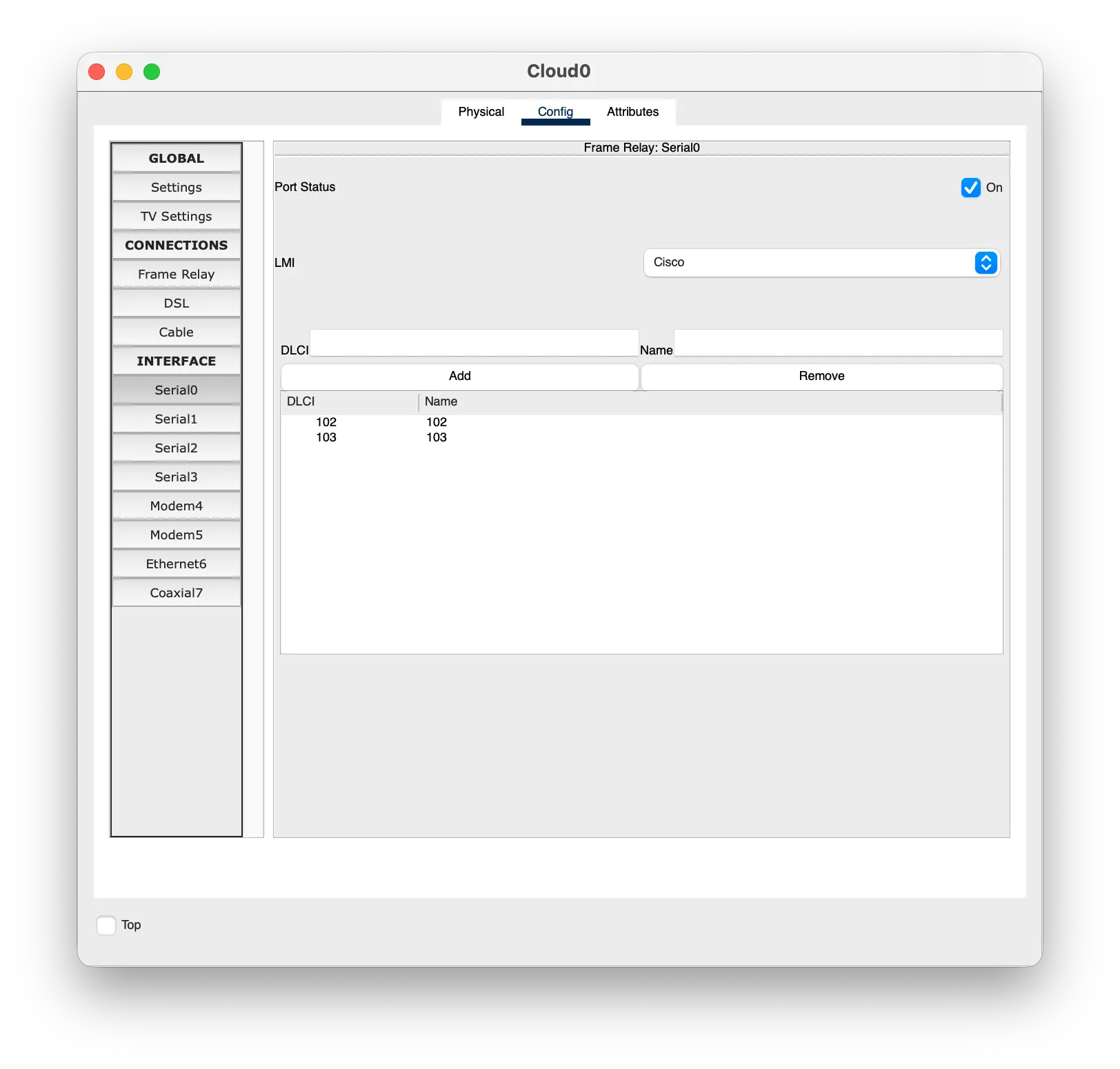
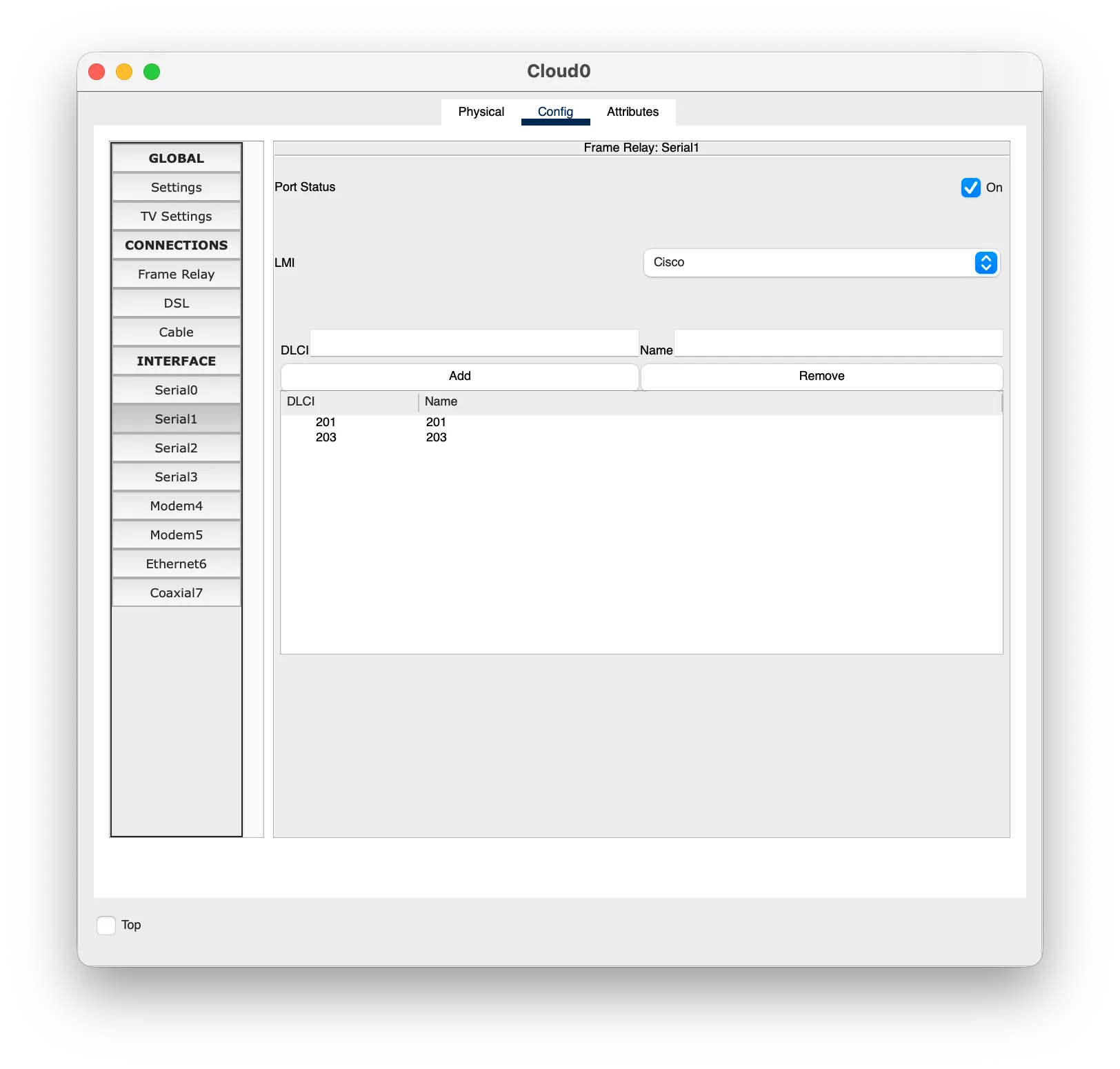
2. Cloud0 설정 (GUI)
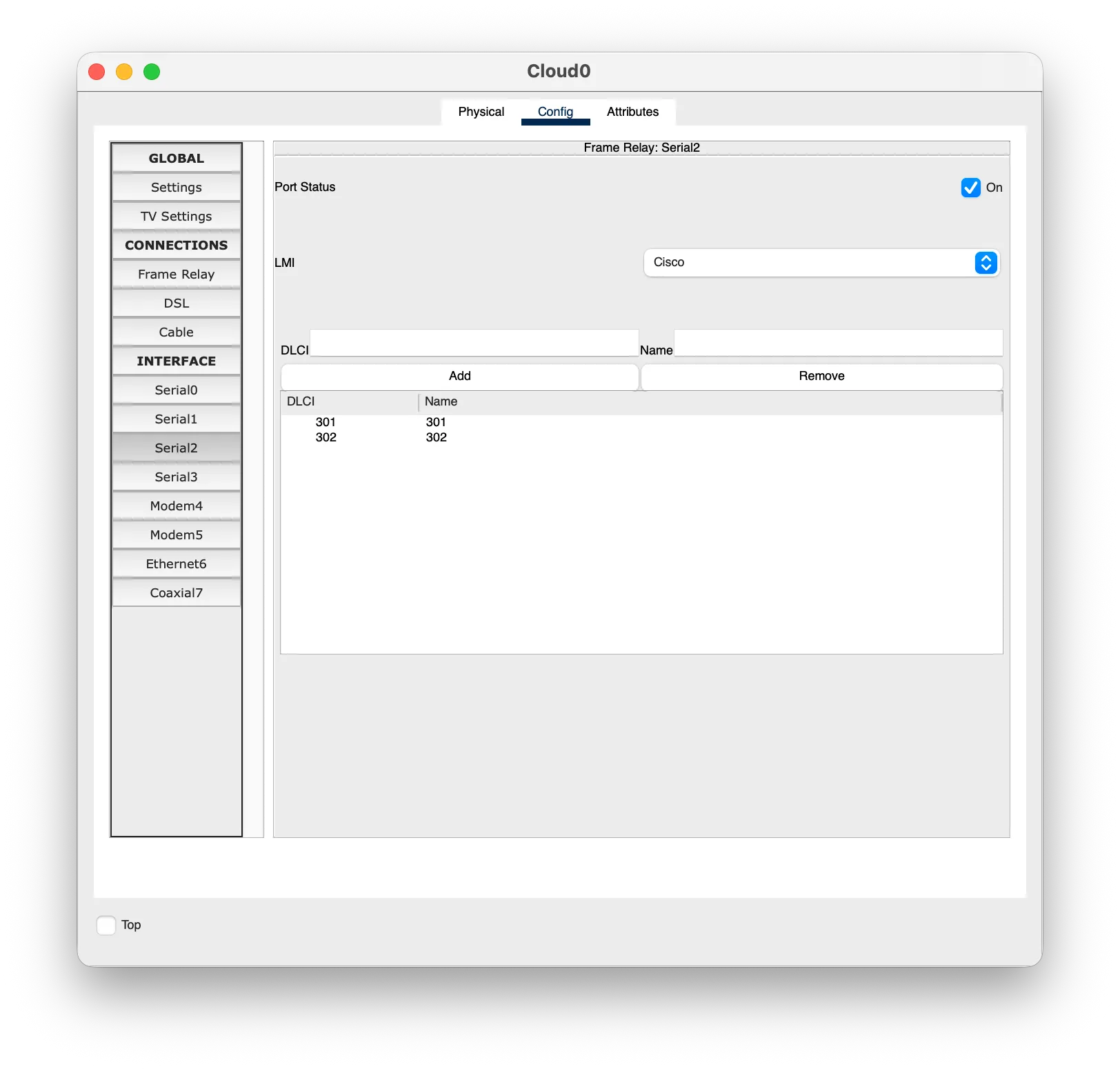
- Config → INTERFACE
- Serial0 : DLCI
102Add,103Add - Serial1 : DLCI
201Add,203Add - Serial2 : DLCI
301Add,302Add
- Serial0 : DLCI
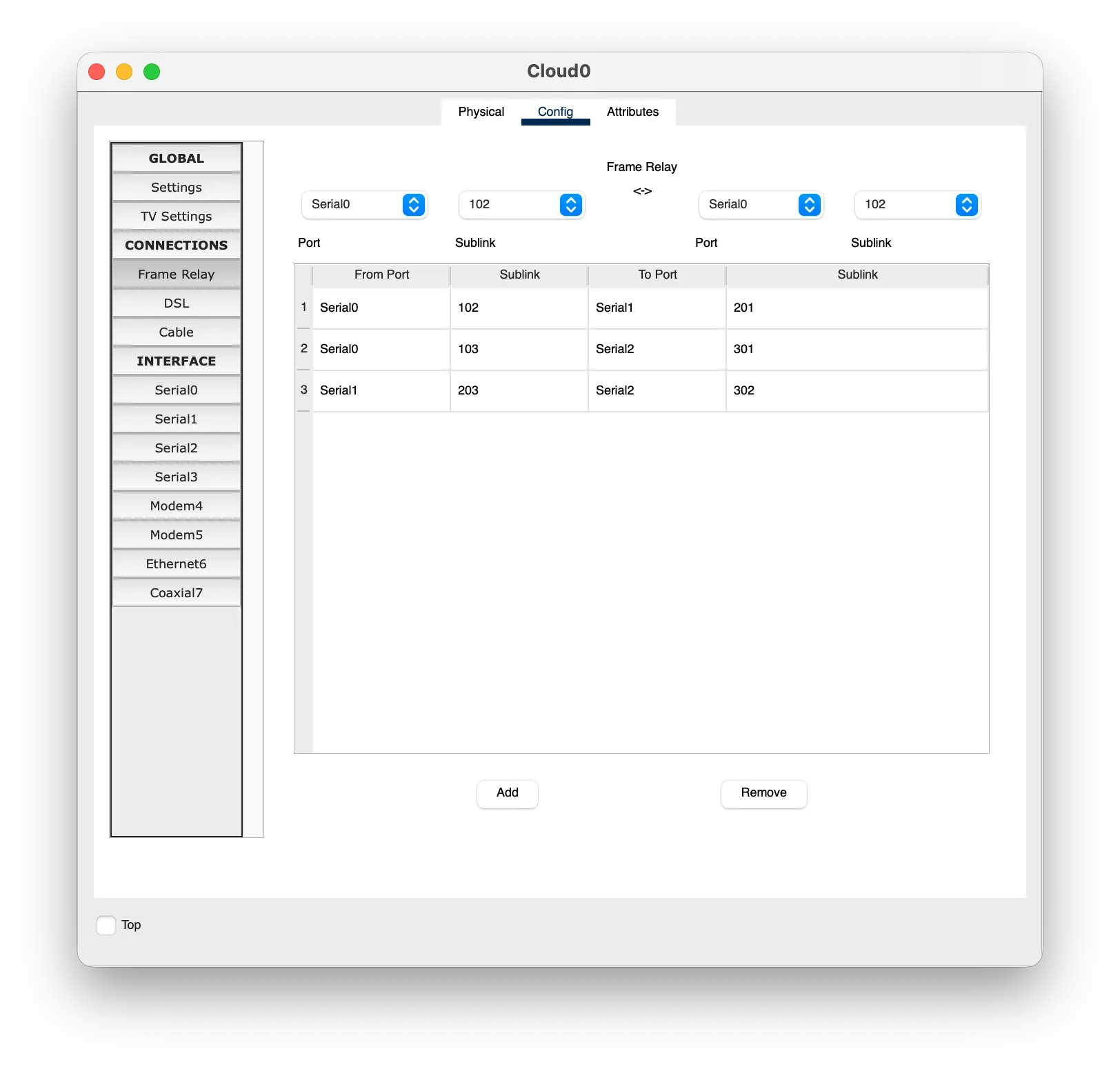
- Config → CONNECTIONS → Frame Relay (여기서 PVC를 짝지어야 실제 연결됨)
- Serial0
102↔ Serial1201 - Serial0
103↔ Serial2301 - Serial1
203↔ Serial2302
- Serial0
3. 라우터 설정
Router0
interface Serial0/1/0
 ip address 100.100.100.1 255.255.255.0
 encapsulation frame-relay
 no frame-relay inverse-arp
 frame-relay map ip 100.100.100.2 102 broadcast
 frame-relay map ip 100.100.100.3 103 broadcast
 no shutdown
interface GigabitEthernet0/0/0
 ip address 192.168.1.254 255.255.255.0
 no shutdown
router rip
 version 2
 no auto-summary
 network 100.0.0.0
 network 192.168.1.0
Text
Router1
interface Serial0/1/0
 ip address 100.100.100.2 255.255.255.0
 encapsulation frame-relay
 no frame-relay inverse-arp
 frame-relay map ip 100.100.100.1 201 broadcast
 frame-relay map ip 100.100.100.3 203 broadcast
 no shutdown
interface GigabitEthernet0/0/0
 ip address 192.168.2.254 255.255.255.0
 no shutdown
router rip
 version 2
 no auto-summary
 network 100.0.0.0
 network 192.168.2.0
Text
Router2
interface Serial0/1/0
 ip address 100.100.100.3 255.255.255.0
 encapsulation frame-relay
 no frame-relay inverse-arp
 frame-relay map ip 100.100.100.1 301 broadcast
 frame-relay map ip 100.100.100.2 302 broadcast
 no shutdown
interface GigabitEthernet0/0/0
 ip address 192.168.3.254 255.255.255.0
 no shutdown
router rip
 version 2
 no auto-summary
 network 100.0.0.0
 network 192.168.3.0
Text
4. PC 설정
| PC | IP | Gateway |
|---|---|---|
| PC0 | 192.168.1.1 | 192.168.1.254 |
| PC1 | 192.168.1.2 | 192.168.1.254 |
| PC2 | 192.168.2.1 | 192.168.2.254 |
| PC3 | 192.168.3.1 | 192.168.3.254 |
스위치(2960)는 기본 설정 그대로 두면 된다.
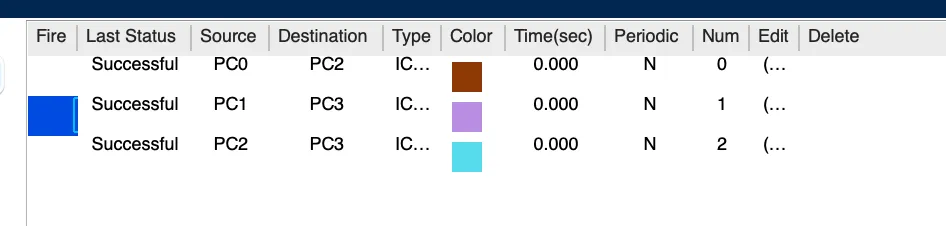
5. 테스트